Heat pump installs in 2025, the photo proof that can save you at tax time
Photo credit: Planprophoto/Shutterstock.com
Heat pumps are one of the rare home upgrades that can cut your utility bills and unlock a sizable federal tax break, but only if you can prove what you installed and when. In 2025, the photos you snap on installation day can be the difference between a smooth credit and a stressful audit. With the right images, paired with the right paperwork, you give yourself a visual trail that backs up every line you enter on your return.
Instead of treating your new outdoor unit as just another appliance, you should think of it as a tax asset that needs documentation. A few minutes with your phone camera, focused on model labels, invoices, and the finished install, can help you claim the credit you are entitled to and defend it if the IRS ever asks questions.
Why your 2025 heat pump is a tax asset, not just an appliance
The federal government is still using the tax code to push households toward efficient heating and cooling, and a qualifying heat pump is at the center of that strategy. Under the 25C Energy Efficient Home Improvement Credit, you may be able to claim a percentage of your project cost for eligible equipment and installation, which is why your 2025 system is more than a comfort upgrade. Guidance for the What Is the Heat Pump Tax Credit makes clear that the heat pump credit is part of a larger Energy Eff package, so you are plugging into a broader policy push, not a one-off perk.
For many homeowners, the headline number is the federal cap on what you can claim for a qualifying system. Reporting on $2,000 highlights how valuable that ceiling can be when you are weighing bids from contractors. When you combine that potential credit with lower monthly bills from a high efficiency unit, the financial case for a 2025 install becomes much stronger, which is exactly why you should treat every document and photo tied to the project as part of your tax file.
Know the rules: credits, Form 5695, and new ID requirements
To turn your new system into a tax break, you eventually have to translate that project into numbers on your return, and that is where Form 5695 comes in. The IRS describes about Form 5695 as the place where you calculate and claim residential energy credits, including the Energy Efficient Home Improvement Credit that covers certain heat pumps. Even if your tax software walks you through the questions, you are still responsible for having the records that support the costs and equipment you enter.
Beginning January 1, 2025, the IRS added a new layer of specificity to those records by tying credits to Qualified manufacturer identification numbers. That change means the exact product you installed, not just the generic category, matters for your claim. When you take photos of the nameplate on your outdoor unit, the indoor air handler, and any included controls, you are capturing the model and manufacturer details that connect your real-world system to the Qualified requirement that now sits behind the credit.
Picking a qualifying heat pump and documenting it on day one
Before you ever point your camera at the finished install, you should make sure the equipment you are buying is eligible for the credit in the first place. Many qualifying models are listed as ENERGY STAR products, and that label is often a shorthand signal that a heat pump meets the efficiency thresholds tied to federal incentives. When you are comparing bids, ask contractors to specify exact model numbers and confirm whether those models appear in the relevant efficiency listings, then plan to photograph those labels once the units are on your property.
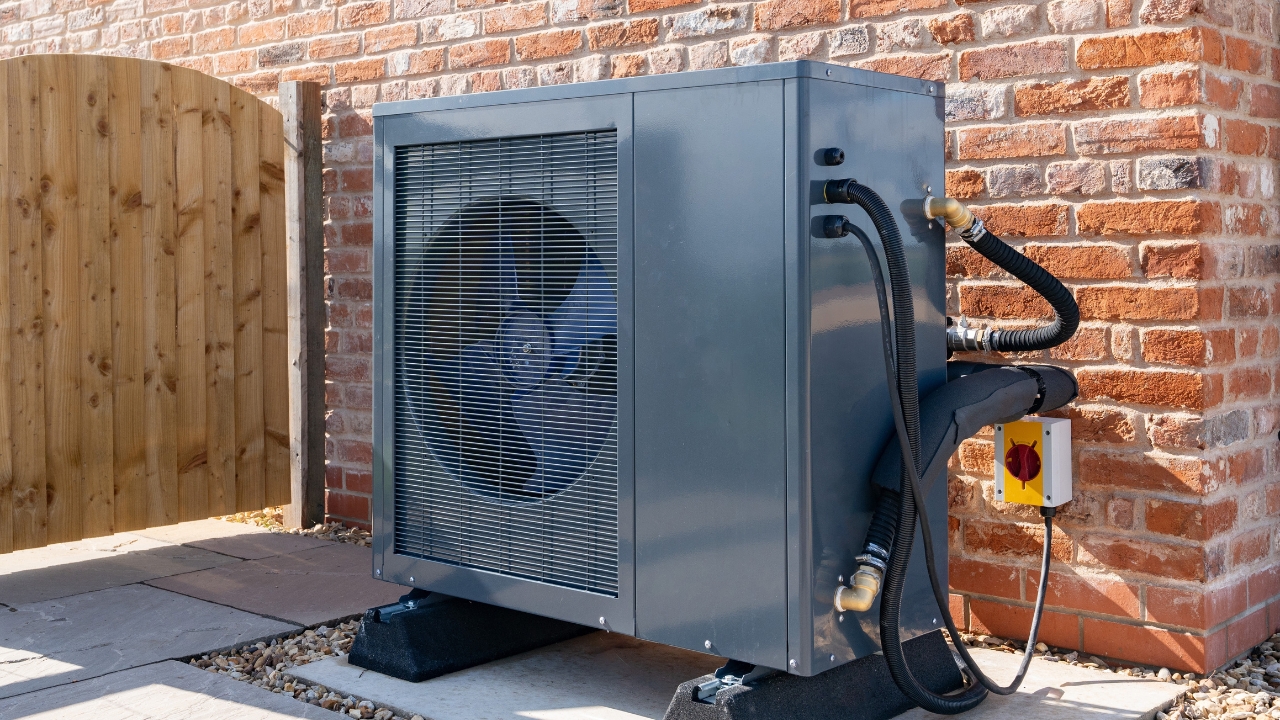
Consumer guides that walk through View other eligible projects under the 25C credit emphasize that eligibility is not just about the outdoor box, it is about the whole system and how it is installed. On installation day, you should capture wide shots of the outdoor unit in place, the indoor components, and the electrical connections, then zoom in on the data plates that show model, serial number, and efficiency ratings. Those images, paired with your contract and invoice, create a visual record that your system matches what the rules describe, which can be invaluable if you ever have to explain your claim.
The new PIN and manufacturer details your photos should capture
In 2025, the IRS is also introducing a qualified product identification number, or PIN, that connects specific equipment to the Energy Efficient Home Improvement Credit. The agency’s FAQ on What is a qualified product PIN explains that this identifier is part of how the government verifies that the product you installed meets the statutory requirements. If your contractor provides a PIN on the invoice or a separate product sheet, you should photograph that document and store the image alongside your other tax records.
Those photos complement the Qualified manufacturer identification numbers requirement that took effect Beginning January 1, 2025, by tying your physical equipment to the manufacturer data the IRS expects to see. When you later sit down to complete Form 5695, you will not be guessing at spelling or model codes from memory, because your images will show the exact wording and numbers that appeared on the unit and paperwork at the time of install. That level of detail is what turns a casual snapshot into real tax documentation.
How Form 5695, installers, and tax software fit together
Once tax season arrives, your photos and paperwork need to line up with the way the credit is actually claimed. Official guidance on how to Use these steps for claiming an energy efficient home improvement credit makes clear that you generally do not submit documentation with your return, but you must keep it in your records. That is where your photo archive comes in, backing up the costs and equipment details you enter when you fill out the Home Energy Credit portion of your return.
Some installers now design their estimates and invoices around the credit rules, flagging eligible line items and even including language like Heat Pumps and Heat Pump Water Heaters or “Eligib” next to qualifying components. When you photograph those documents, you are preserving the contractor’s own description of what qualifies, which can help you or your tax preparer map each cost to the right box on Form 5695. If you use software, you may notice that it does not ask you to upload proof, and community discussions about whether Home Energy Credit and Form 5695 require an invoice confirm that you typically keep those files yourself instead of sending them in.
What the IRS actually accepts as proof: photos, scans, and apps
The good news for anyone who lives on their phone is that the IRS does not insist on a shoebox of paper receipts. Guidance on Digital vs. physical receipt storage explains that The IRS fully accepts digital copies of receipts as valid documentation, as long as they are accurate and contain all required information. That means a clear photo of your installer’s invoice, saved to a cloud folder or a receipts app, can stand in for the original if you ever have to substantiate your credit.
Small business tax guidance that asks Are Pictures of Receipts Okay for Taxes and What Small Business Owners Need to Know reinforces the same point for individuals: according to IRS guidelines, electronic copies are acceptable if they clearly show the date, amount, and purpose. For your heat pump, that means your photos should capture the contractor’s name, your address, the description of the work, the total cost, and any breakdown that separates equipment from labor, so there is no ambiguity about what you paid for.
Building a photo checklist that protects your credit
To make your visual record truly audit ready, it helps to think in terms of a simple checklist. Start with the contract and estimate, photographing each page that lists equipment, model numbers, and pricing, then move to the signed final invoice once the job is complete. Consumer explainers on Available Heat Pump Tax Credits for 2025 and The Energy Efficient Hom credit remind you that you cannot double count or stack claims on the same costs, so your photos should make it easy to see which expenses you are tying to the federal credit and which might be covered by a utility rebate or state program.
Next, document the equipment itself: take close-ups of the outdoor unit’s data plate, the indoor unit’s label, and any included thermostat or control that is part of the qualifying system. Then add a shot of any product sheet or invoice line that lists a PIN or manufacturer ID, since the IRS FAQ on PIN requirements shows how central that identifier is becoming. Finally, store everything in a clearly named folder in a tool like Google Drive, Dropbox, or a dedicated receipts app, so you can pull it up instantly if a tax pro or the IRS ever asks you to walk through your claim.
Why careful documentation matters even when you never get audited
Most taxpayers will never have to defend their heat pump credit line by line, but the risk is only part of the story. Detailed photos and organized records also protect you from your own memory, especially if you upgrade again or sell the house in a few years. When you can quickly pull up images that show exactly what was installed and when, you avoid double claiming, you can answer questions from future buyers, and you have a clean baseline if you later pursue other incentives that build on your existing system.
Educational guides that walk through the steps to claim the 25C credit and manufacturer resources that outline Step 4: Submit Your Tax return both point to the same underlying reality: the credit is generous, but it is also rule bound. By treating your 2025 heat pump install like a mini audit file from day one, complete with photos, invoices, and product IDs, you give yourself the best chance to keep every dollar of the credit you earn and to move into the next heating season with both lower bills and a cleaner conscience at tax time.