
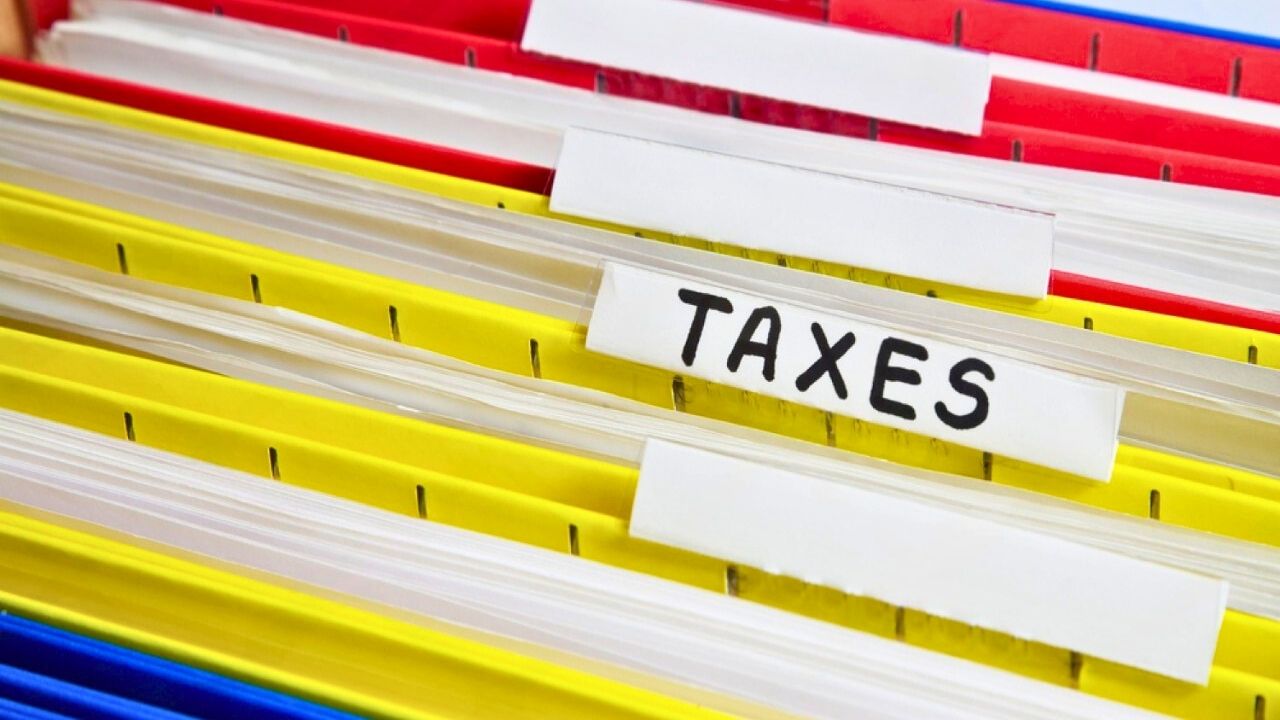
The easiest way to build a “tax-credit folder” so receipts don’t disappear by spring
Tax credits can quietly add thousands of dollars to your refund, but only if you can prove every eligible expense when filing season arrives. The simplest way to protect that money is to build a dedicated “tax‑credit folder” now so receipts, statements, and confirmations are captured in real time instead of vanishing by spring.
By treating tax paperwork like any other workflow, you can turn a once‑a‑year scramble into a light weekly habit that runs in the background of your life. The goal is not perfection, it is a system you will actually use that keeps every credit‑worthy receipt findable in under 30 seconds.
Define what your tax‑credit folder is actually for
Your tax‑credit folder is not a junk drawer for every slip of paper you touch, it is a targeted collection of documents that prove you qualify for specific credits and deductions. Before you start stuffing it, you need clarity on which incentives you are aiming at, from education credits and energy‑efficient home upgrades to small‑business and side‑hustle write‑offs. A structured approach mirrors the way professional planners start by mapping credits to your situation, then working backward to the evidence you must keep.
That is the logic behind resources like The Tax Credit Planning Checklist for 2026, which begins with Step 1, “Know Which Credits Apply to Your Business,” and stresses that before tracking anything you should clarify which incentives fit Your Business. Once you know what you are chasing, you can decide which receipts, invoices, and contracts belong in your tax‑credit folder and which can live elsewhere, so you are not wading through noise when you sit down with your CPA before returns are finalized.
Choose a simple structure you will stick with all year
The easiest system is the one you can maintain on your busiest week, not the most elaborate color‑coded fantasy you design in January and abandon by March. You want a structure that matches how you already think about money: maybe by category (home, car, childcare, medical, business), by credit type, or by month. The key is to decide once, then repeat the same pattern for paper and digital records so you never wonder where something belongs.
Tax pros often recommend you Create a Tax Organization System You Will actually use, warning that relying on memory often leads to missing documentation. Consumer guidance echoes that advice with very practical steps like the Nov Key Takeaways to Buy color‑coded folders and Keep them dedicated to receipts and documentation, so your brain learns that anything tax‑related has a single home instead of being scattered across drawers and glove compartments.
Stop the paper at the source and digitize everything
Paper is where most people lose control, because envelopes pile up on the counter and crumpled receipts hide in coat pockets. You can make your tax‑credit folder dramatically easier to manage by cutting off the paper stream wherever possible, opting into electronic statements and using tools that convert physical mail into PDFs you can file in seconds. Once you have a digital copy, you can toss the clutter while keeping the evidence.
Mail‑management guides spell this out bluntly in their Dec Rush Key Takeaways, urging you to Stop the Paper Source because Physical mail is the number one bottleneck and to Use a virtual mailbox so everything arrives scanned and ready to save. The same playbook suggests leaning on a Dec Tax Season Toolkit and free tools that help you Use digital workflows as Tax Season approaches, so once the digital copy is created you can immediately route it into your tax‑credit folder instead of letting it drift from the kitchen table to the trash.
Build a two‑layer system: paper backup plus digital brain
Even if you love apps, a purely digital setup can fail when a phone dies or a subscription lapses, while a paper‑only system is vulnerable to loss and damage. The most resilient tax‑credit folder uses both: a slim set of physical files for original documents that are hard to replace, and a comprehensive digital archive that you can search, back up, and share with your preparer. You do not need to duplicate everything, but you should be deliberate about what lives where.
Tax organizers repeatedly recommend that you Keep Electronic and Paper Backups of key records, from saving PDFs of utility bills to printing confirmations for large purchases, so you are not relying on a single format when it matters. In the same Nov guidance, the Key Takeaways explicitly tell you to Buy color‑coded folders and Keep them stocked for receipts and documentation, while also nudging you to Check in Monthly so your physical and digital sets stay aligned instead of drifting apart in the rush of daily life.
Turn your phone into a pocket scanner, not a shoebox
Your phone is already the place where receipts try to hide, buried in email, text messages, and app notifications. You can flip that dynamic by treating it as the front door to your tax‑credit folder: every time you pay for something potentially deductible, you capture it on the spot with a scan or photo and send it straight into your system. The habit matters more than the specific app, but the right tools can make it almost automatic.
Dedicated apps like Expensify, which is built to scan and categorize expenses, or mobile scanners such as the Manage receipts‑on‑the‑go Dext app, turn a quick snapshot into structured data you can search later. Community threads where small‑business owners trade tips often highlight lightweight tools like Snaptobook, with one Nov commenter telling readers to Try Snaptobook and another Top contributor explaining how they forward emailed receipts into a single inbox so nothing gets lost, a workflow that mirrors the way you might centralize everything for your own tax‑credit folder.
Organize by category so every credit has a home
Once receipts are flowing into your folder, the next step is to label them in a way that lines up with how tax credits and deductions actually work. Instead of one giant pile, you might create subfolders for education, medical, childcare, energy‑efficient home improvements, charitable giving, and business expenses, then drop each receipt into the right bucket as soon as it arrives. That way, when you or your preparer reviews your year, you can see at a glance which credits you might qualify for and where the supporting proof lives.
Advisers who help self‑employed people and LLC owners get ready before the rush hits stress the value of category‑level clarity, urging you to Start by sorting and to Keep Digital Receipts Organized so that when they are labeled and dated there is no panic required at filing time. Bookkeeping checklists reinforce the same point, telling you to Keep track of business expenses, deductible expenses, and personal expenses that may qualify for tax deductions, and to Categ each transaction correctly while you retain receipts and documentation to support deductions, so you are not trying to reconstruct the story of a year’s worth of spending from memory.
Automate the boring parts so your folder fills itself
The more you rely on manual steps, the more likely your tax‑credit folder is to fall behind once life gets busy. Automation can quietly move receipts from inboxes and apps into the right place, leaving you to handle only the edge cases. You can set rules that forward any email with “receipt,” “invoice,” or a favorite merchant’s name into a dedicated folder, then use integrations to sync that folder with your expense app or cloud drive.
Inbox‑automation guides show how you can Automate Responses to Frequently Answered Questions, Share Your Availability Automatically, and Get Promotion emails out of your way, and the same tools can route digital receipts into a single archive without extra clicks. On the back end, modern Receipt Data Extraction tools are built to handle the chaos of real‑world paperwork, explaining that Receipt Data Extraction is designed to How to Extract Data from Receipts You upload, even when no two formats ever look the same, so your scanned documents become searchable records instead of static images.
Set a recurring “tax‑credit check‑in” before things pile up
Even the best folder will fail if you only touch it once a year. A short, recurring appointment on your calendar to review new receipts, tag them, and move anything missing into the right place keeps the system light and reliable. Think of it as closing the books on your tax credits every few weeks so nothing lingers in limbo.
Tax planners often suggest you Check in Monthly so your mental picture of your finances stays accurate and your One Big Beautiful Bill does not become a source of stress. Small‑business playbooks for the 2026 season go further, urging owners to Categorize All Transactions because Accurate categorization directly affects your deductions, and to Review every transaction from the prior year so they can Make Adjustments for 2026 and shift toward tax planning instead of annual panic, a rhythm you can borrow even if you are only tracking a handful of credits.
Know what to keep, how long to keep it, and how to prove it
A tax‑credit folder only protects you if it contains the right evidence for the right length of time. That usually means keeping receipts, invoices, and statements that show what you bought, when you bought it, how much you paid, and how it ties to a specific credit or deduction. You also want to store documents in a way that would satisfy an auditor, which means organized, secure, and backed up, not scattered across random devices.
Guides on How To Manage Your Business Tax Receipts point out that Keeping receipts for a minimum of three years can sound daunting, but technology makes it easier when you Leverage Technology Using Tax Receipt tools and pick the one that is best for you. International tax authorities echo the same principle, with one Sep warning that you should Keep your receipts, Keep receipts for everything even if you are not sure whether it is claimable, and then talk to your tax agent about it next year. For digital records, compliance resources explain that What matters for Digital receipts is that they are stored in an organized, secure manner that preserves integrity, so your folder should live in a reputable cloud service or encrypted drive rather than a single laptop that could fail.
Use apps and integrations to turn your folder into a planning tool
Once your tax‑credit folder is humming, you can go beyond record‑keeping and start using it to make smarter decisions in real time. Expense apps that sync with your bank and card accounts can show you, midyear, how much you have already spent on qualifying categories, which credits you are on track to claim, and where you might want to accelerate or delay purchases. That turns tax season from a backward‑looking chore into a forward‑looking planning exercise.
Modern tools are built for this kind of visibility: some platforms highlight that They help you Claim Every Tax Deduction You Deserve and warn that if you Miss a receipt you Miss a deduction, while also helping you Track Your Spending Li so you can see patterns. Roundups of expense‑tracking software note that expense tracking apps streamline financial management by digitizing receipts and categorizing expenses, and they answer the question Are There Free Expense Tracker Apps by pointing to options with a 30‑day free trial. Tutorials on getting documents into Dext emphasize that There are more ways than one to feed your system, from snapping a photo of a receipt to forwarding emails, using Drag and Drop, or even connecting them automatically, and even traditionalists who prefer paper can pick up tips from a Nov video on how to organize business receipts the easy way, where the host talks about keeping really neat folders and files in old‑fashioned systems even as more of us keep our files online.
Like Fix It Homestead’s content? Be sure to follow us.
Here’s more from us:
- I made Joanna Gaines’s Friendsgiving casserole and here is what I would keep
- Pump Shotguns That Jam the Moment You Actually Need Them
- The First 5 Things Guests Notice About Your Living Room at Christmas
- What Caliber Works Best for Groundhogs, Armadillos, and Other Digging Pests?
- Rifles worth keeping by the back door on any rural property
*This article was developed with AI-powered tools and has been carefully reviewed by our editors.