
This common fix keeps turning into repeat damage
Some fixes feel satisfying in the moment, only to boomerang back as the same problem a week, a month, or a season later. Whether you are staring at a laptop that refuses to boot, an iPhone trapped in a restart spiral, or a ceiling crack that keeps splitting open, the pattern is the same: a quick remedy that never quite reaches the real fault line. Understanding why these “solutions” keep failing is the first step toward breaking the cycle and choosing repairs that actually last.
Across devices and buildings alike, repeat damage usually signals that you are treating symptoms instead of causes. Once you start looking for that pattern, you see it everywhere, from automatic repair loops in Windows to seams in drywall that reopen with every temperature swing. The challenge is to recognize when a familiar fix has turned into a trap and to know how to pivot toward deeper diagnosis instead of another round of patchwork.
When a repair becomes a loop, not a solution
You experience a repair loop any time a system keeps trying the same remedy without ever restoring normal function. In technology, that might be a PC that endlessly cycles through “attempting repairs” instead of reaching the desktop, or a phone that reboots the moment the logo appears. In buildings, it can be a crack that reappears in the same spot no matter how carefully you fill and paint it, a sign that the structure beneath is still moving or failing.
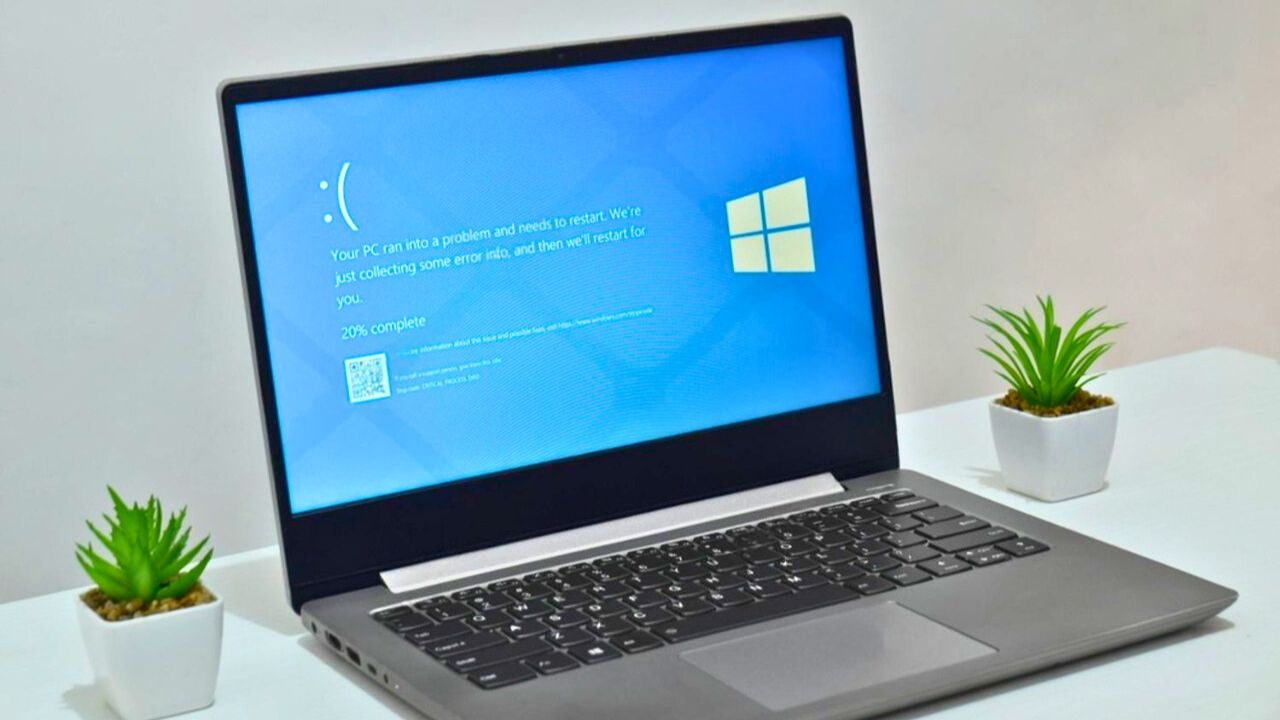
On Windows, this pattern is so common it has a name: an automatic repair loop, where the operating system repeatedly launches its own recovery tools but never completes a successful start. One analysis notes that this loop begins when the system detects a problem during the boot process and then enters a continuous cycle of attempted fixes that never let the machine load properly, a behavior that can be triggered by damaged system files or deeper hardware faults in components such as The RAM. Similar loops show up in homes, where a ceiling seam that was “repaired” before you moved in can split open again within months, as one homeowner described in a mobile home ceiling that cracked shortly after an earlier fix.
The Windows automatic repair spiral
If you use Windows, you may have already met its built in self help system, Automatic Repair. In theory, it is designed to step in when the operating system cannot start, scan for issues, and restore key files so you can log in again. In practice, when core damage is too severe, the feature can trap you in a loop where the machine restarts, announces that it is preparing repairs, and then fails, over and over, without ever reaching your desktop.
Guides on troubleshooting describe this as an automatic repair loop, a state where the “attempting repairs” screen becomes the destination instead of a bridge back to normal use. Some walk you through disabling Automatic Repair entirely using commands in an advanced prompt, on the logic that if the built in tool cannot fix the problem, you need to stop it from hijacking startup so you can run other diagnostics. One step by step breakdown even suggests that after you try the “Above” methods and still see the same behavior, turning off Automatic Repair may be the only way to regain control.
Why Windows keeps trying to fix itself
Under the hood, Windows is programmed to assume that most startup failures are software problems it can heal on its own. When the system detects repeated crashes during boot, it automatically launches its recovery environment, scans for corrupted files, and attempts to repair them. If that process fails, it simply tries again at the next restart, which is how you end up watching the same “preparing automatic repair” message on a loop instead of seeing your login screen.
Technical breakdowns explain that this behavior can begin when a problem occurs during the boot process and the operating system enters a continuous cycle of attempted fixes that never complete, a pattern described as an endless loop. Some guides suggest that if the issue persists after software level steps, you should suspect hardware, including Random Acces memory or a failing drive. Others recommend using the Advanced options menu to Attempt Startup Repair only once or twice, then move on to deeper checks if Windows still refuses to boot.
How users get stuck chasing the same Windows fix
From your side of the keyboard, the loop can feel like a cruel joke. You restart, watch the logo, see “preparing automatic repair,” and then land right back where you started. Official support threads are full of people describing exactly that pattern after a power cut or improper shutdown, including one user who wrote in under the name AutoRepairLoopBlues and was greeted with a reply that 7 people found. In that exchange, the responder introduced herself with “Hi, AutoRepairLoopBlues. My name is Maritza and I am an Independent advisor,” then walked through a familiar checklist of startup repairs, safe mode attempts, and command line scans.
Third party walkthroughs echo that pattern, urging you to restart and immediately press F8 or Shift to reach the Advanced options menu. From there, you are told to run Startup Repair, uninstall recent updates, or roll back drivers, all in the hope that one of these steps will finally let Windows boot. Another guide for Windows 11 suggests that in the Advanced environment you should select Startup Repair as a first step, but also warns that if the loop continues, you may be facing a deeper fault that no amount of rebooting will resolve.
Phones that live and die by the reboot button
The same pattern plays out in your pocket. When a smartphone freezes or its screen stops responding, the first advice you see is almost always to restart. Official troubleshooting pages tell you to hold down the power button for ten seconds to Reboot the device, on the assumption that a clean power cycle will clear temporary glitches. That is a reasonable first move, but when a phone has deeper damage, especially from water, repeated restarts can push it into a boot loop where it never reaches the home screen at all.
Apple’s own forums include cases where an iPhone that “got wet” ends up in a constant reboot cycle, with experienced contributors like Lawrence Finch (who is listed with 229,456 points) explaining that liquid damage can corrode internal components and that no amount of button pressing will reverse that. In one thread, a Similar question drew the same conclusion: once corrosion reaches key circuits, the loop is a symptom, not the disease. On Reddit, a user with the handle netpastor, tagged as a Top 1% Poster, told another iPhone owner that after water damage, You will likely need professional data recovery if photos are not already backed up.
Inside the iPhone boot loop after water damage
Water and electronics rarely negotiate a truce, and modern phones are no exception. Even with official water resistance ratings, a hard dunk or prolonged exposure can seep into sensitive areas like the proximity sensor assembly near the top of an iPhone’s display. When that sensor fails, the phone can misread its own state during startup, triggering a boot loop that repeats every few seconds as the system tries and fails to initialize all its hardware.
Repair specialists have documented how a damaged Proximity Sensor can trap an iPhone 13 Pro in exactly this pattern, and some walk through disassembly techniques that focus on the affected Sensor rather than the software. One video guide titled Pro Boot Loop for a Water Damaged Proximity Sensor Explained shows how corrosion around that small component can keep the phone from completing its checks, and why simply restoring iOS will not help. Another clip framed as Tips and Tricks for Pro Bootloop Water Damage walks through similar steps, underscoring that once liquid reaches that area, the only durable fix is to repair or replace the affected hardware, not to keep forcing restarts.
Cracks that keep coming back in your ceiling and walls
Homes have their own version of the boot loop: cracks that reappear in the same place no matter how often you patch them. On drywall, especially at seams where two sheets meet, seasonal expansion and contraction can open a hairline gap that you dutifully fill with joint compound, sand, and paint. For a few months, the surface looks perfect, until the next round of temperature swings or structural movement pulls the joint apart again and the line reemerges.
Drywall professionals warn that if you simply smear mud into a crack without reinforcing it, the flaw will almost certainly return. One trade guide puts it bluntly, noting that as tempting as it is to take the shortcut, you should never just fill a crack with compound because it will just reappear when the mud dries and the wall moves. On Reddit, a user posting as PghAreaHandyman told a homeowner that Odds are a recurring ceiling crack is due to seasonal movement at a seam that keeps reopening, and that simply replacing the drywall without addressing framing or movement will not solve the problem. Another thread titled ceiling crack shows the same frustration, with commenters steering the poster toward mesh tape, better fastening, and sometimes structural evaluation instead of yet another cosmetic patch.
When “good enough” repairs hide the real problem
Across industries, the temptation is to celebrate the heroic fix rather than the quiet root cause analysis that prevents the next failure. In power generation, one engineering analysis notes that if organizations mostly validate and celebrate epic effort, for example a work crew that puts in an 18 hour shift to get equipment back online, they unintentionally reward the cycle of breakdown and scramble instead of the slower work of prevention. The piece argues that If you only praise the rescue, the underlying issues learn to stay under the radar.
Home maintenance experts see the same pattern in roofs and mechanical systems. One roofing firm notes that at a certain stage, repairs often address symptoms rather than the root cause, so you keep patching leaks instead of replacing worn out materials that have simply reached the end of their life, a point summed up in the line that repairs often address. Another guide on home features explains that Repeated fixes usually mean one part gets attention while the overall system stays worn out, so You replace what is broken but ignore the interconnected pieces, such as springs and tracks in a garage door. Roofing specialists add that Temporary or reactive repairs may provide short term relief, but While they do, they also prolong disruption and uncertainty about the roof’s condition.
How to know when to stop patching and start over
The practical question for you is when to stop chasing the same fix and commit to a deeper intervention. With Windows, a reasonable rule is to let Automatic Repair try once or twice, then switch tactics. One guide suggests that if your system is stuck in an automatic repair loop, you should Restart and immediately press F8 or Shift+F8 to reach advanced tools, then consider disabling the feature if it continues to trap you. Another Windows 11 focused guide on How to Fix Automatic Repair Loop recommends using Windows recovery tools sparingly before you test hardware like drives and memory.
Like Fix It Homestead’s content? Be sure to follow us.
Here’s more from us:
- I made Joanna Gaines’s Friendsgiving casserole and here is what I would keep
- Pump Shotguns That Jam the Moment You Actually Need Them
- The First 5 Things Guests Notice About Your Living Room at Christmas
- What Caliber Works Best for Groundhogs, Armadillos, and Other Digging Pests?
- Rifles worth keeping by the back door on any rural property
*This article was developed with AI-powered tools and has been carefully reviewed by our editors.